Specification layers
Context
Shared domain vocabulary, architecture, and design direction
3 documents9/9 covered2 open items
Context
Shared domain vocabulary, architecture, and design direction
Ticket desk model
Modeldraft
TICKET-DESK Ticket desk model
draftDefine the shared ticket desk domain concepts used by the ticket creation, status, and filtering feature specs.
TICKET-DESK-M001: Ticket desk covered 1,2
A ticket desk is a single-user browser application for managing support tickets.
| Concept | Definition |
|---|---|
| User | The person using the ticket desk in the browser |
| Ticket list | The collection of tickets currently shown to the user |
| Active filter | The status filter currently applied to the ticket list |
TICKET-DESK-M002: Ticket covered 1,2,3,4
A ticket represents one support request.
| Field | Required | Description |
|---|---|---|
| Id | yes | Stable internal identifier |
| Title | yes | 1-80 characters after trimming whitespace |
| Status | yes | One of open, in-progress, or resolved |
| Resolution note | no | Required before a ticket can become resolved |
TICKET-DESK-M003: Ticket status covered 1,2,3,4
Ticket status describes where a support request is in the support flow.
| Status value | Display label | Meaning |
|---|---|---|
open | Open | The request has been created |
in-progress | In progress | Someone has started working on it |
resolved | Resolved | The request has been completed with a note |
TICKET-DESK-M004: Ticket filter covered 1,2,3
A ticket filter controls which tickets are visible in the ticket list.
| Filter value | Visible tickets |
|---|---|
all | Every ticket |
open | Tickets with status open |
resolved | Tickets with status resolved |
Rules
TICKET-DESK-R001: A ticket MUST have exactly one status. covered by direct test 1,2,3TICKET-DESK-R002: A ticket status MUST be one of `open`, `in-progress`, or `resolved`. covered by direct test 1,2,3TICKET-DESK-R003: A ticket title MUST be valid before the ticket can be created. covered by direct test 1,2TICKET-DESK-R004: A ticket MUST have a resolution note before it can be resolved. covered by direct test 1,2,3TICKET-DESK-R005: Filtering MUST NOT change the stored tickets. covered by direct test 1,2,3
Spec context
Model Diagram line 65
erDiagram
      TICKET_DESK ||--o{ TICKET : contains
      TICKET }o--|| TICKET_STATUS : has
      TICKET_FILTER }o--o{ TICKET : selects
Open Questions line 74
- TICKET-DESK-Q001: Should a resolved ticket be reopenable in a future feature?
Assumptions line 78
- TICKET-DESK-A001: The demo remains a single-user application, so assignment and permissions are outside its current scope.
Ticket desk tech stack
Stack
draft
Define the technical stack used to implement and verify the ticket desk demo.
Stack
| Area | Choice |
|---|---|
| Frontend | React |
| Language | TypeScript |
| Build tool | Vite |
| Unit tests | Vitest |
| Browser tests | Playwright |
| Spec tooling | feature-spec-md |
| Report artifact | HTML report in test-results/spec-report |
Rationale
The stack keeps the application small while still demonstrating spec validation, unit-level checks, Playwright scenario coverage, screenshot evidence, and generated reports.
Ticket desk design
Design
draft
Define the product and interaction direction for the ticket desk demo interface.
Design
The ticket desk should feel lightweight, readable, and easy to verify from tests and screenshots.
Principles
- Keep the ticket list visible as the primary workspace.
- Make validation messages close to the action that caused them.
- Show status changes immediately after user actions.
- Keep filters simple enough that screenshot evidence is easy to understand.
Layout
The page should present ticket creation controls, status actions, filter controls, and the ticket list in a straightforward flow that works in a small demo window.
Interaction
Creating, moving, resolving, and filtering tickets should require explicit user actions and produce visible feedback that maps directly to the feature scenarios.
Capabilities
Ticket-management behavior and business rules
4 documents23/23 covered
Capabilities
Ticket-management behavior and business rules
Ticket creation
draft
playwrightPeople can create support tickets with a clear title.
Rules
TICKET-CREATION-R001: A ticket MUST have a title. covered by TICKET-CREATION-S002 1,2TICKET-CREATION-R002: A ticket title MUST NOT be longer than 80 characters. covered by TICKET-CREATION-S003 1,2TICKET-CREATION-R003: A new ticket MUST start with status open. covered by TICKET-CREATION-S001 1,2
Scenarios
TICKET-CREATION-S001: User creates a valid ticket covered 1,2
Rules covered by this scenario: TICKET-CREATION-R003
Given the user is on the ticket desk line 26 screen changed · screenshot captured
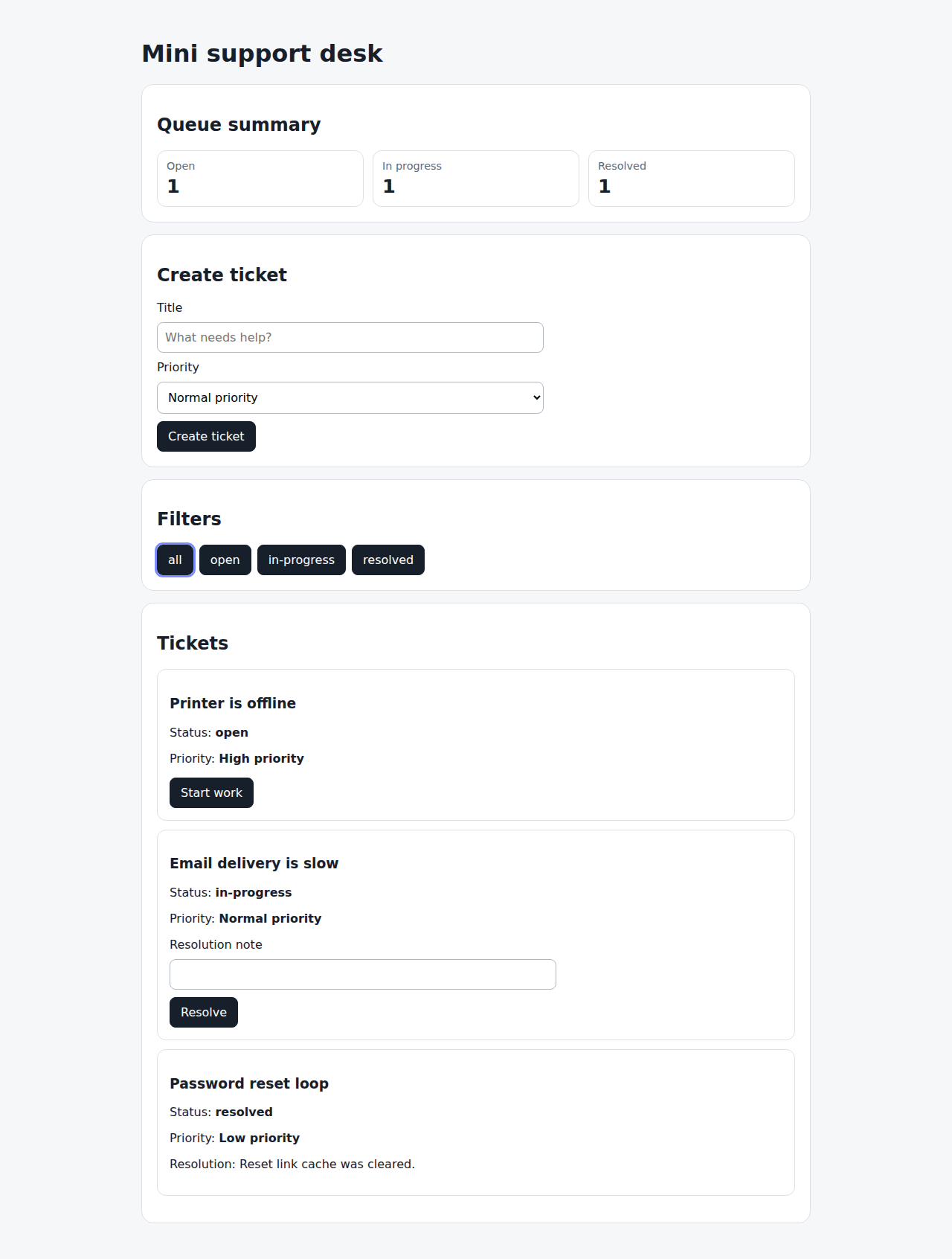
When they create a ticket with a valid title line 27 screen changed · screenshot captured
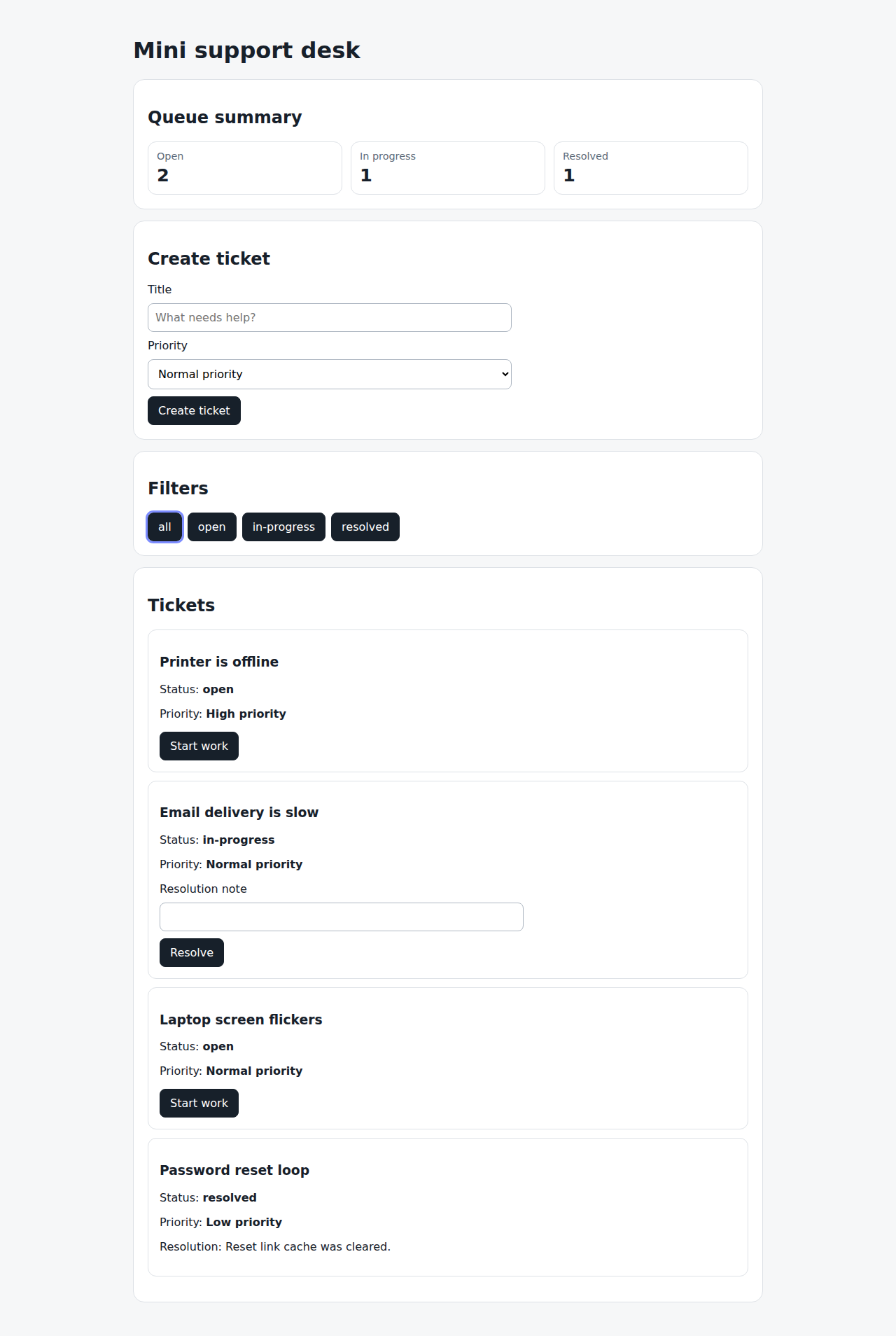
Then the new ticket is visible line 28 same screen as line 27
And the ticket has status open line 29 same screen as line 28
TICKET-CREATION-S002: User cannot create a ticket without a title covered 1,2
Rules covered by this scenario: TICKET-CREATION-R001
Given the user is on the ticket desk line 33 screen changed · screenshot captured
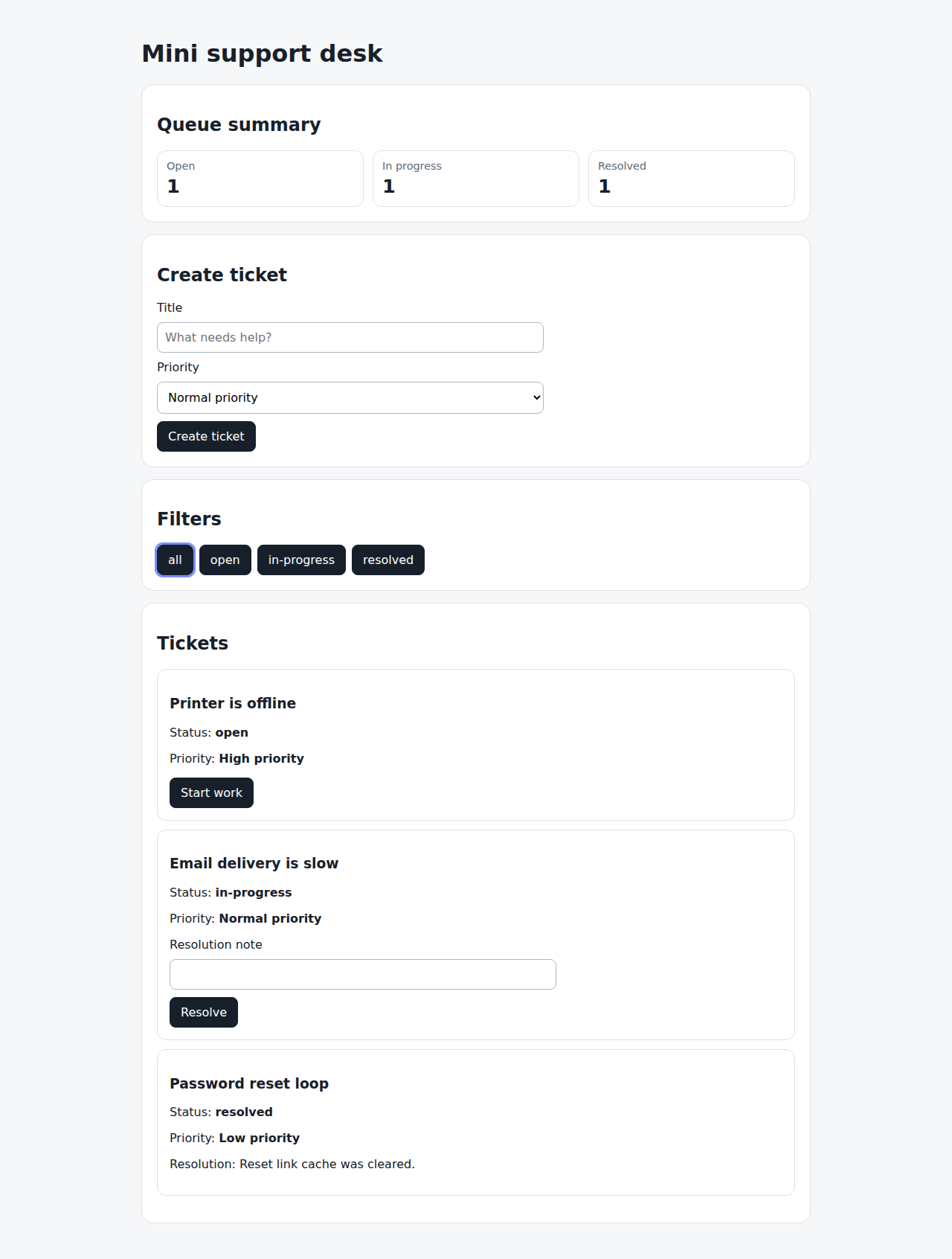
When they try to create a ticket without a title line 34 screen changed · screenshot captured
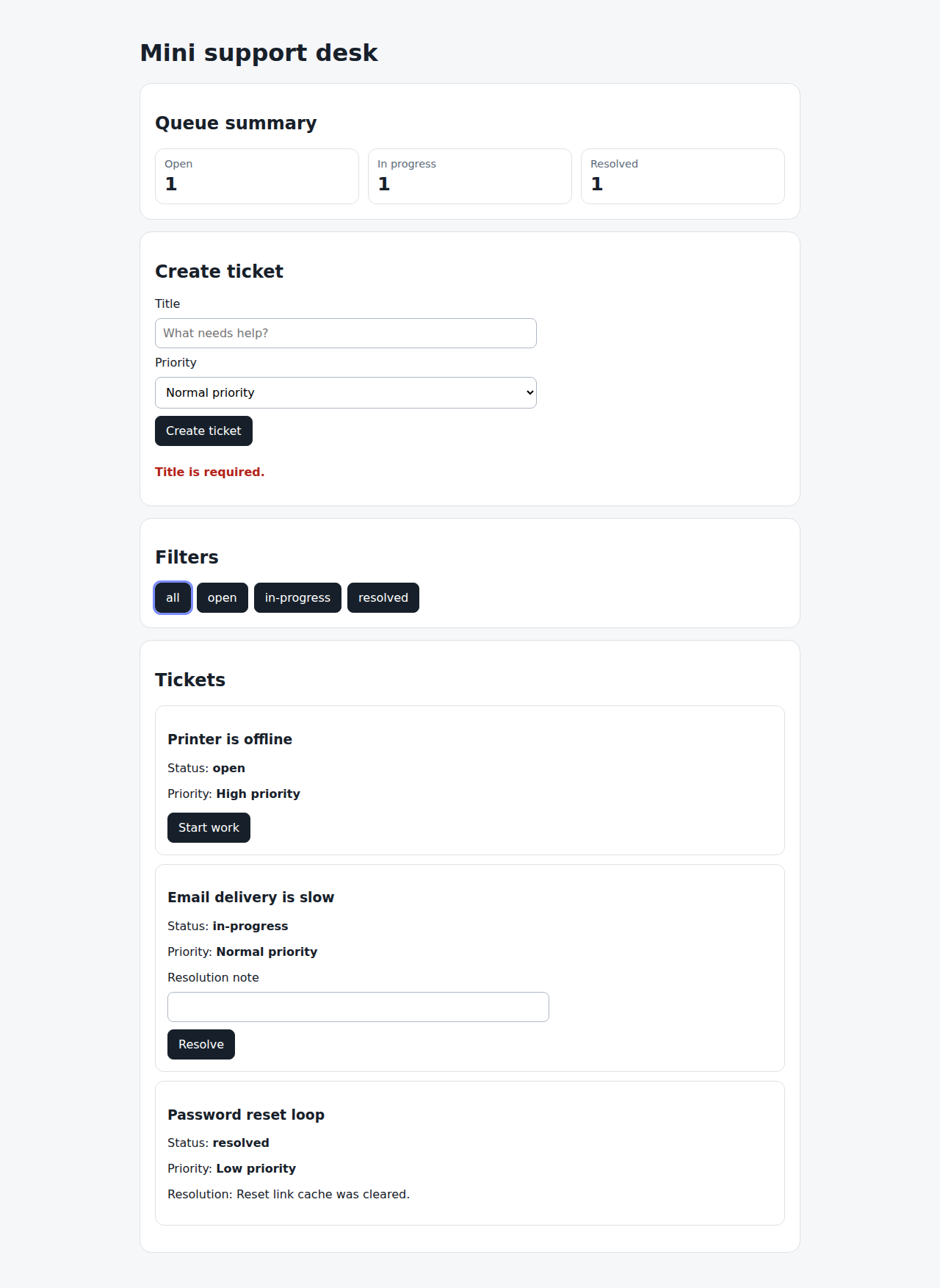
Then the ticket is not created line 35 same screen as line 34
And they see a title validation message line 36 same screen as line 35
TICKET-CREATION-S003: User cannot create a ticket with a long title covered 1,2
Rules covered by this scenario: TICKET-CREATION-R002
Given the user is on the ticket desk line 40 screen changed · screenshot captured
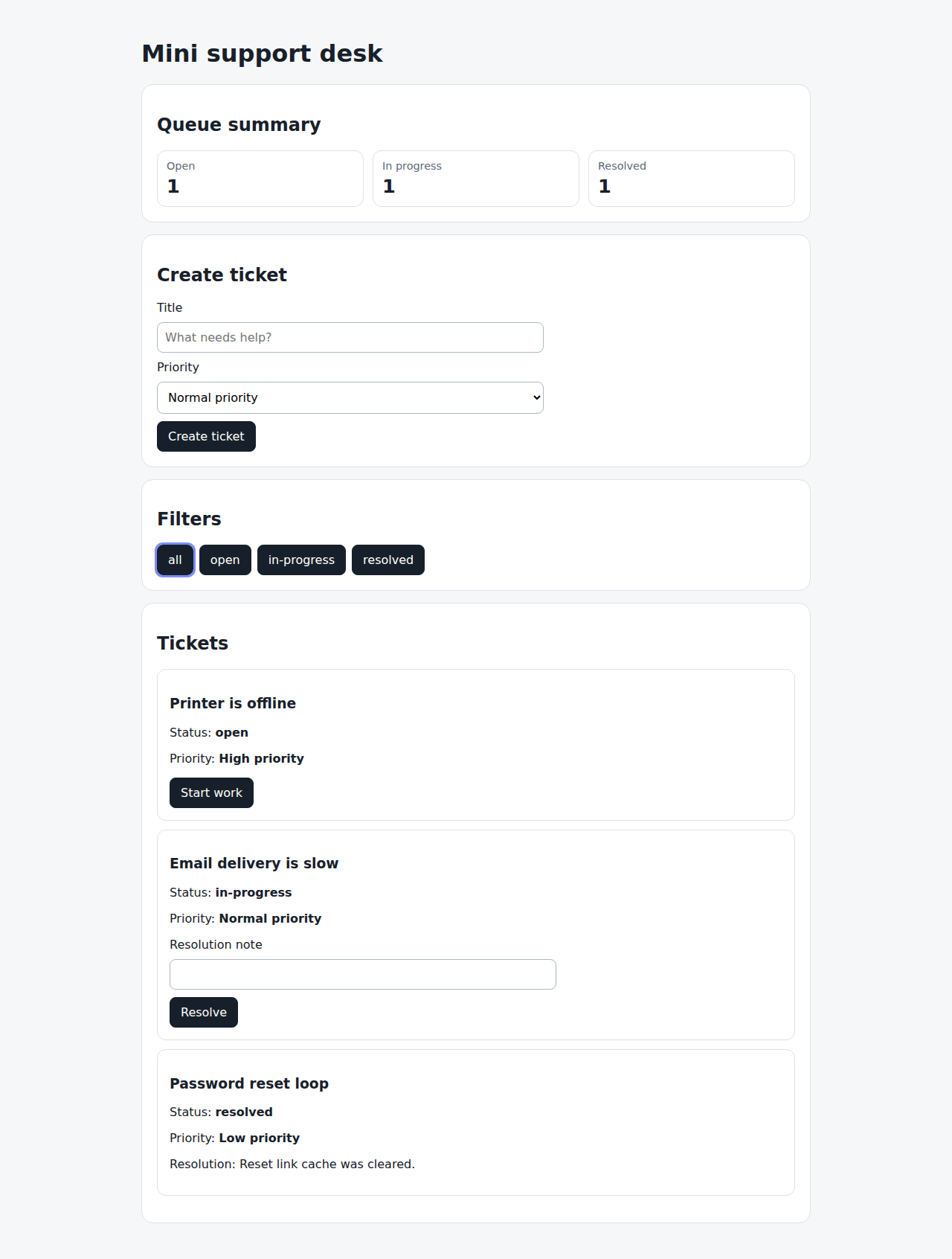
When they try to create a ticket with a title longer than 80 characters line 41 screen changed · screenshot captured
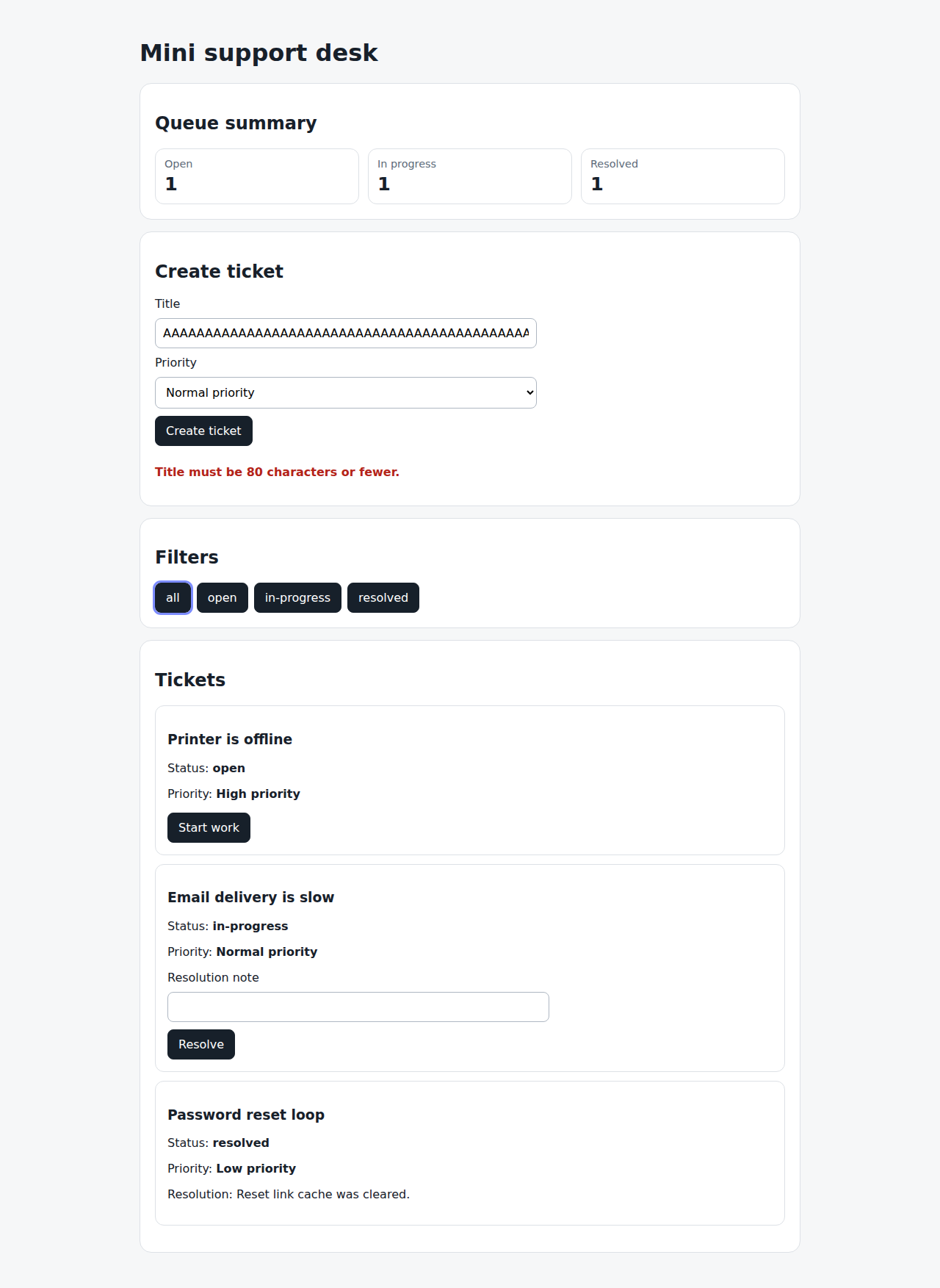
Then the ticket is not created line 42 same screen as line 41
And they see a title length validation message line 43 same screen as line 42
Ticket filtering
draft
playwrightPeople can focus the ticket list by status.
Rules
TICKET-FILTERING-R001: The all filter MUST show every ticket. covered by TICKET-FILTERING-S001 1,2TICKET-FILTERING-R002: The open filter MUST show only open tickets. covered by TICKET-FILTERING-S002 1,2TICKET-FILTERING-R003: The resolved filter MUST show only resolved tickets. covered by TICKET-FILTERING-S003 1,2
Scenarios
TICKET-FILTERING-S001: User sees all tickets covered 1,2
Rules covered by this scenario: TICKET-FILTERING-R001
Given tickets with different statuses exist line 26 screen changed · screenshot captured
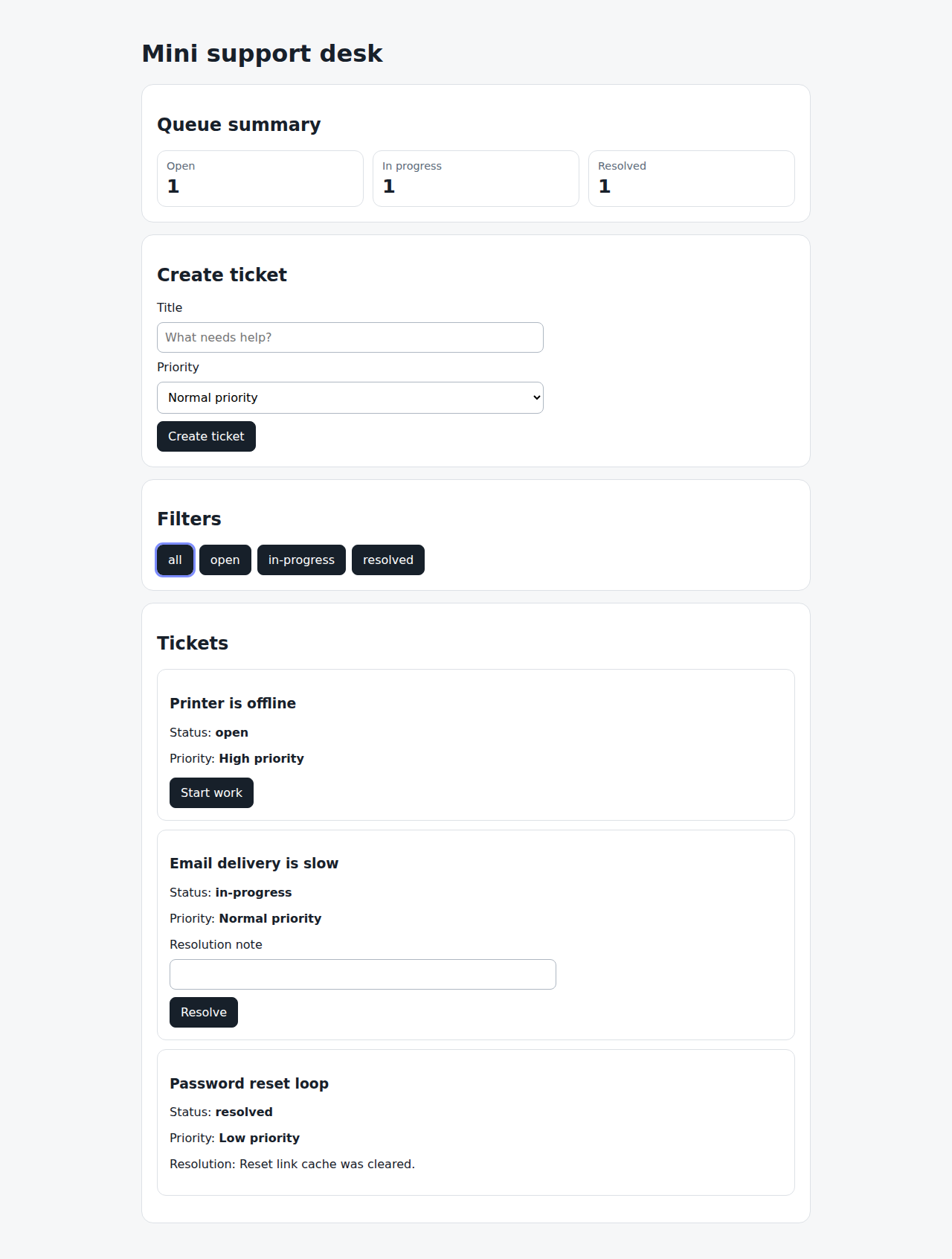
When the user selects the all filter line 27 same screen as line 26
Then every ticket is visible line 28 same screen as line 27
TICKET-FILTERING-S002: User filters open tickets covered 1,2
Rules covered by this scenario: TICKET-FILTERING-R002
Given tickets with different statuses exist line 32 screen changed · screenshot captured
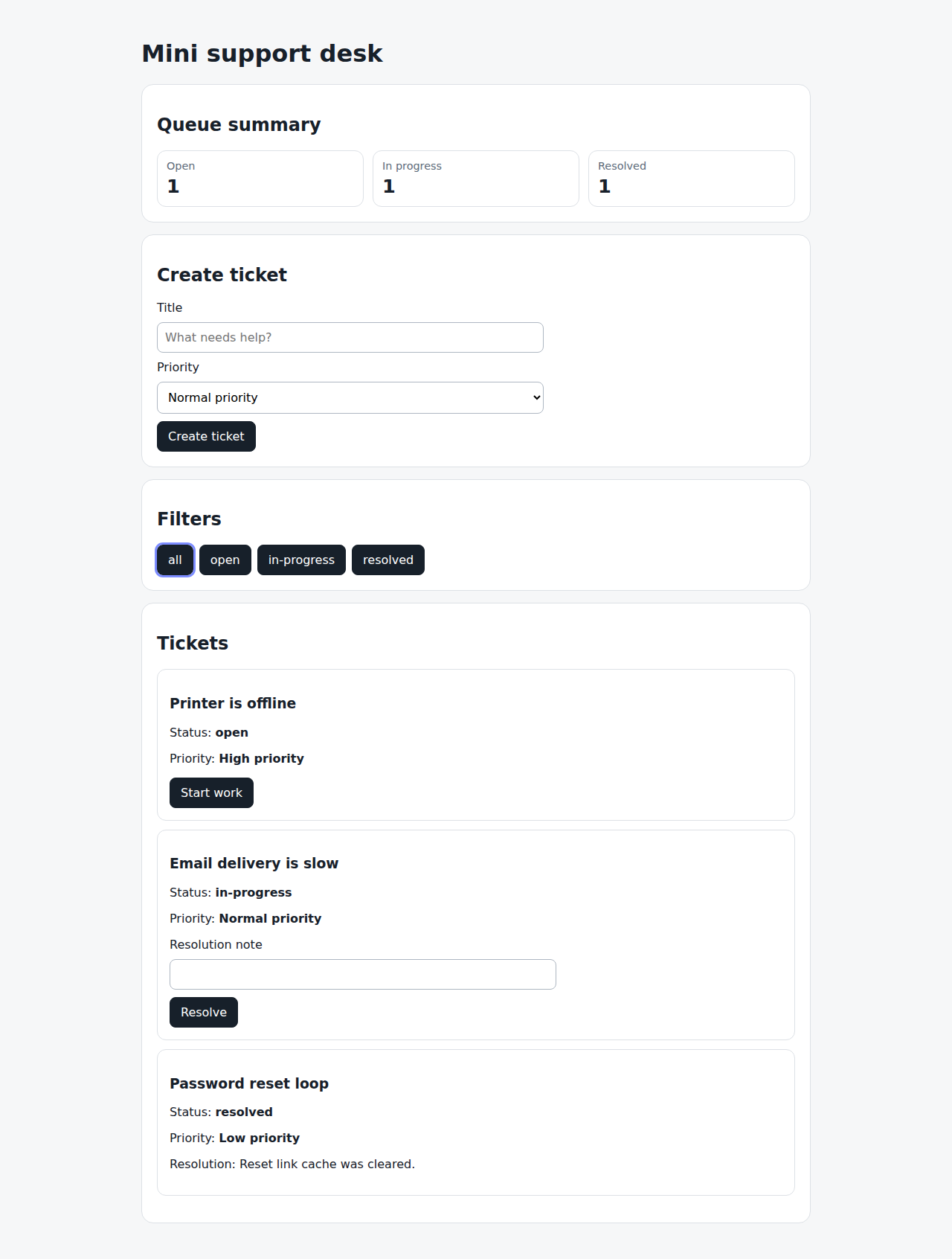
When the user selects the open filter line 33 screen changed · screenshot captured
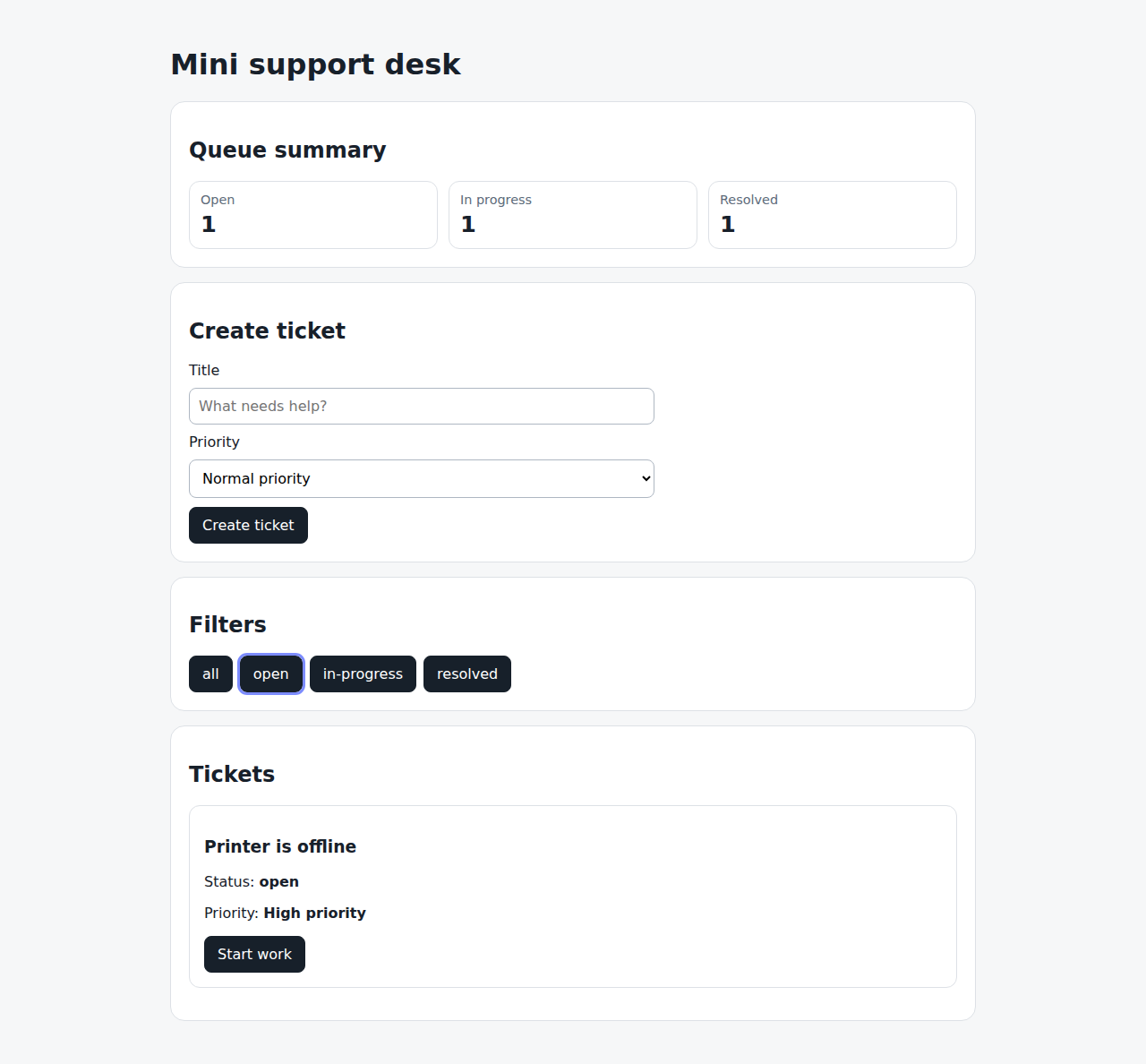
Then only open tickets are visible line 34 same screen as line 33
TICKET-FILTERING-S003: User filters resolved tickets covered 1,2
Rules covered by this scenario: TICKET-FILTERING-R003
Given tickets with different statuses exist line 38 screen changed · screenshot captured
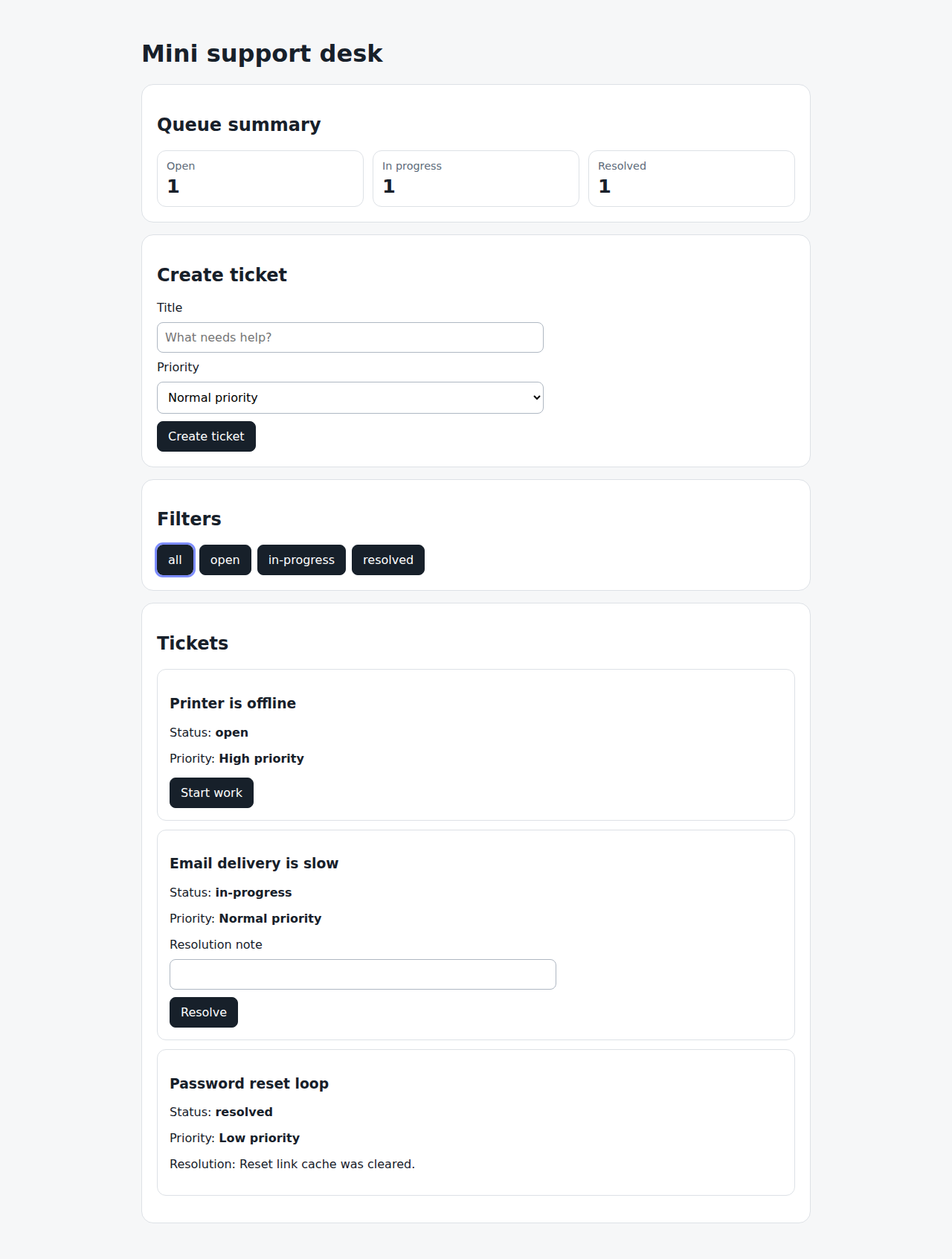
When the user selects the resolved filter line 39 screen changed · screenshot captured
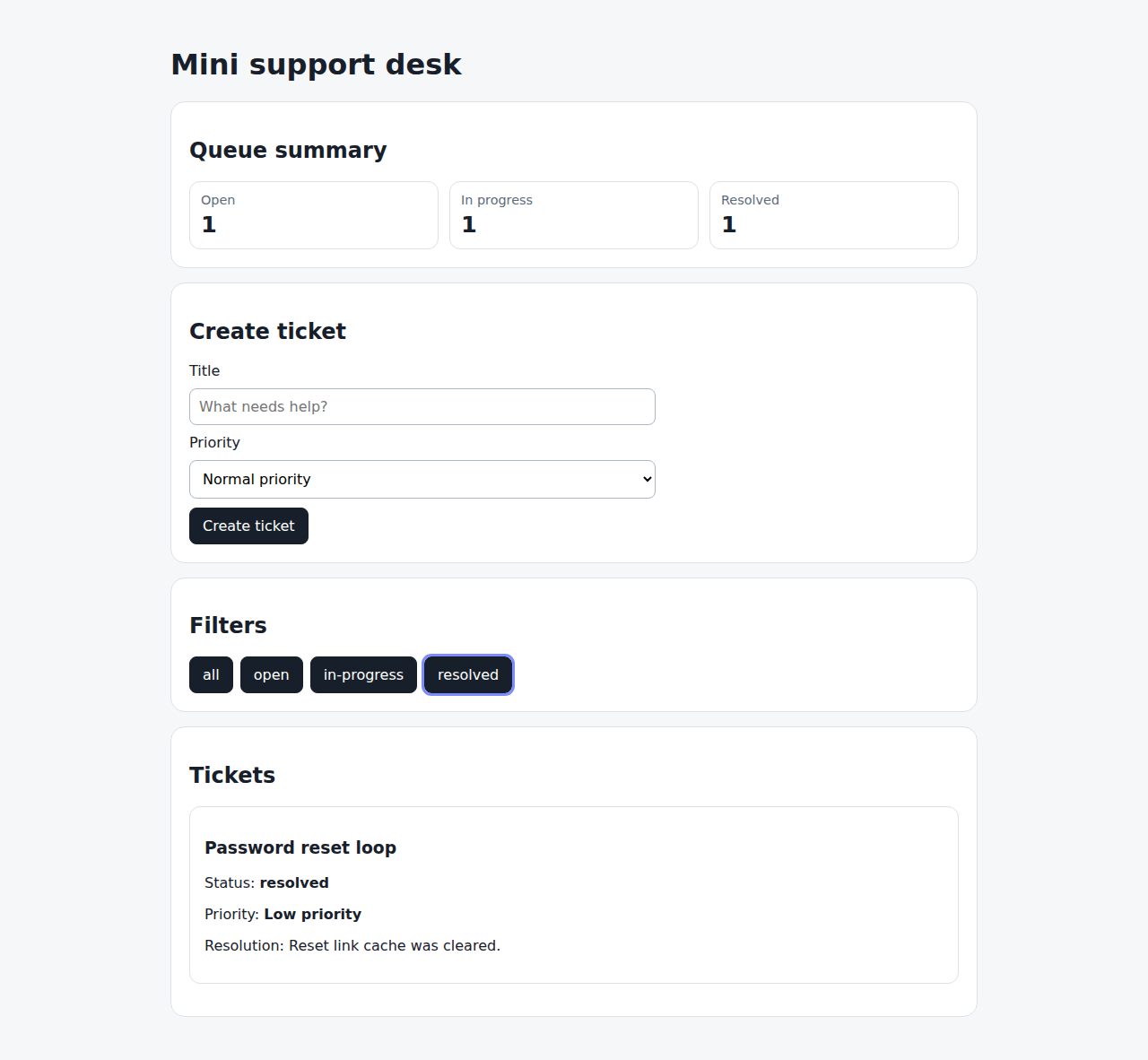
Then only resolved tickets are visible line 40 same screen as line 39
Ticket priority
active
unitscreenshots skipSupport agents need to distinguish urgent tickets from routine work and see the most important tickets first.
Rules
SUPPORT-DESK-TICKET-PRIORITY-R001: A newly created ticket MUST store the selected priority. covered by direct test 1SUPPORT-DESK-TICKET-PRIORITY-R002: Tickets MUST be ordered by priority before title when displayed. covered by SUPPORT-DESK-TICKET-PRIORITY-S002 1SUPPORT-DESK-TICKET-PRIORITY-R003: The create-ticket form MUST reset priority to normal after a ticket is created. covered by SUPPORT-DESK-TICKET-PRIORITY-S001 1
Scenarios
SUPPORT-DESK-TICKET-PRIORITY-S001: User creates a high-priority ticket covered 1
SUPPORT-DESK-TICKET-PRIORITY-S002: Tickets are sorted by priority covered 1
Rules covered by this scenario: SUPPORT-DESK-TICKET-PRIORITY-R002
Given the ticket queue has low, normal, and high priority tickets line 39
When the ticket queue is sorted line 40
Then high priority tickets appear before normal priority tickets line 41
And normal priority tickets appear before low priority tickets line 42
Ticket status
draft
playwrightPeople can move tickets through a small, predictable status flow.
Rules
TICKET-STATUS-R001: An open ticket MAY be moved to in progress. covered by TICKET-STATUS-S001 1,2TICKET-STATUS-R002: An in-progress ticket MAY be resolved. covered by TICKET-STATUS-S002 1,2TICKET-STATUS-R003: A ticket MUST NOT be resolved without a resolution note. covered by TICKET-STATUS-S003 1,2
Scenarios
TICKET-STATUS-S001: User moves a ticket to in progress covered 1,2
Rules covered by this scenario: TICKET-STATUS-R001
Given an open ticket is visible line 26 screen changed · screenshot captured
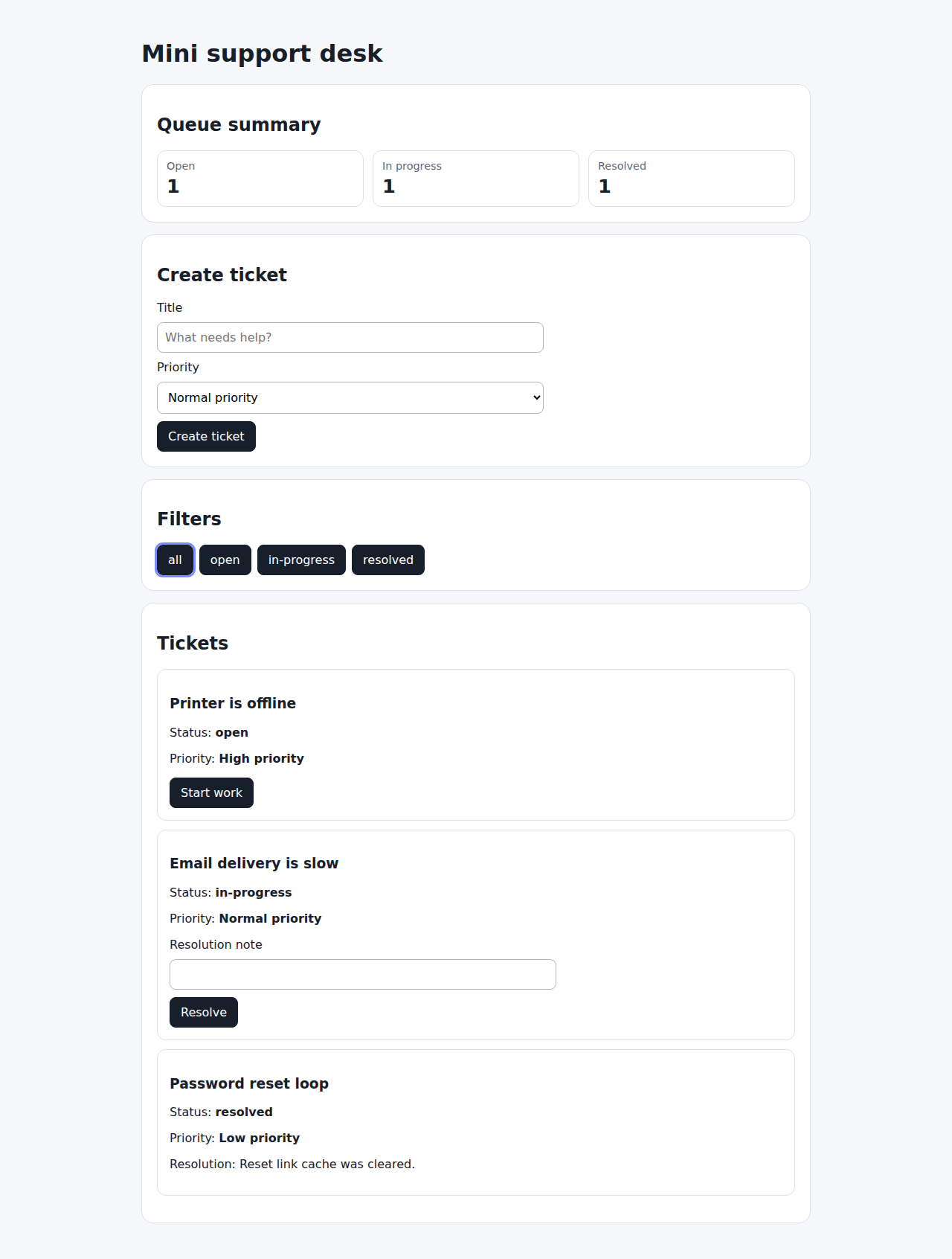
When the user starts working on the ticket line 27 screen changed · screenshot captured
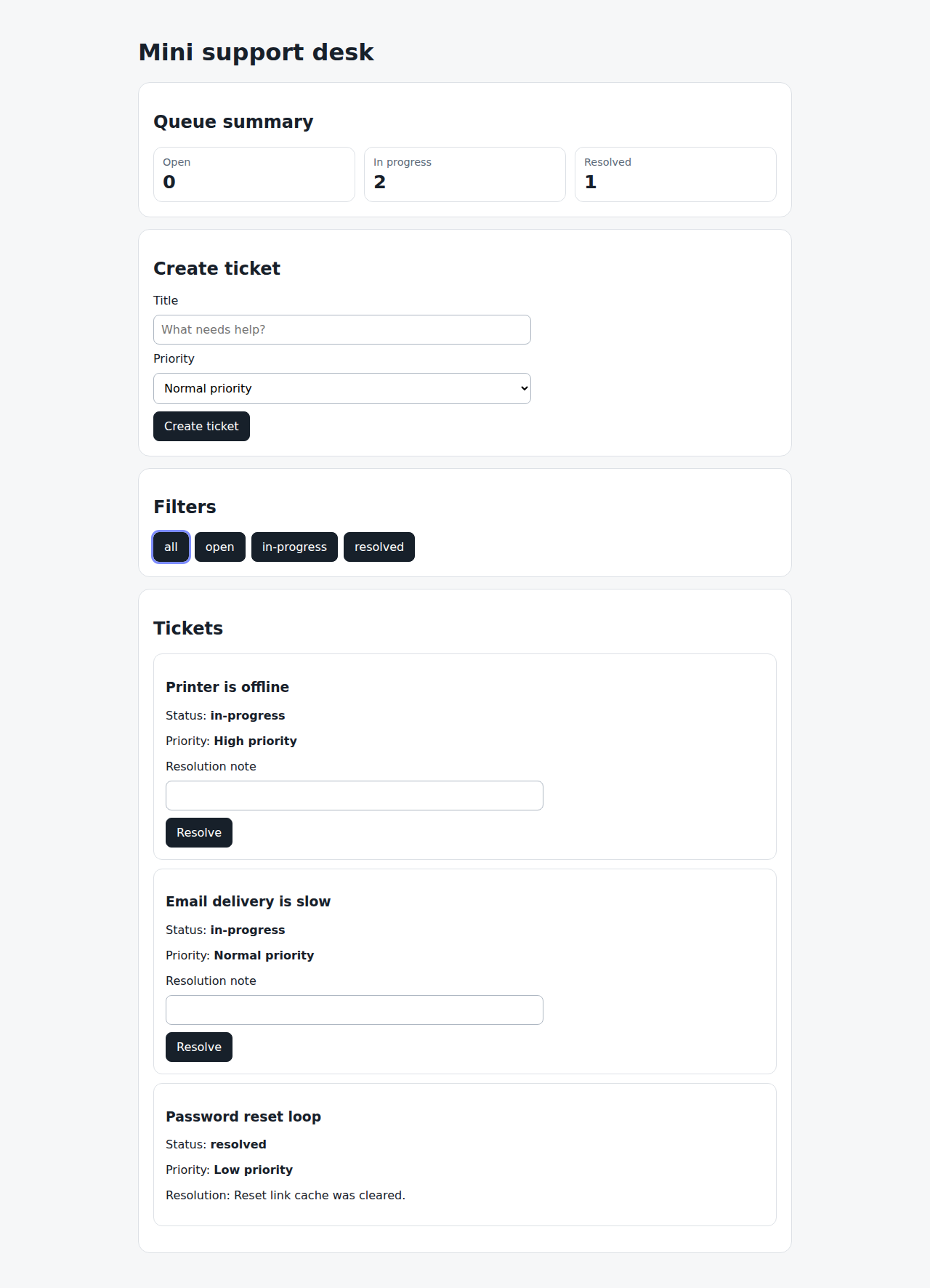
Then the ticket status is in progress line 28 same screen as line 27
TICKET-STATUS-S002: User resolves a ticket with a note covered 1,2
Rules covered by this scenario: TICKET-STATUS-R002
Given an in-progress ticket is visible line 32 screen changed · screenshot captured
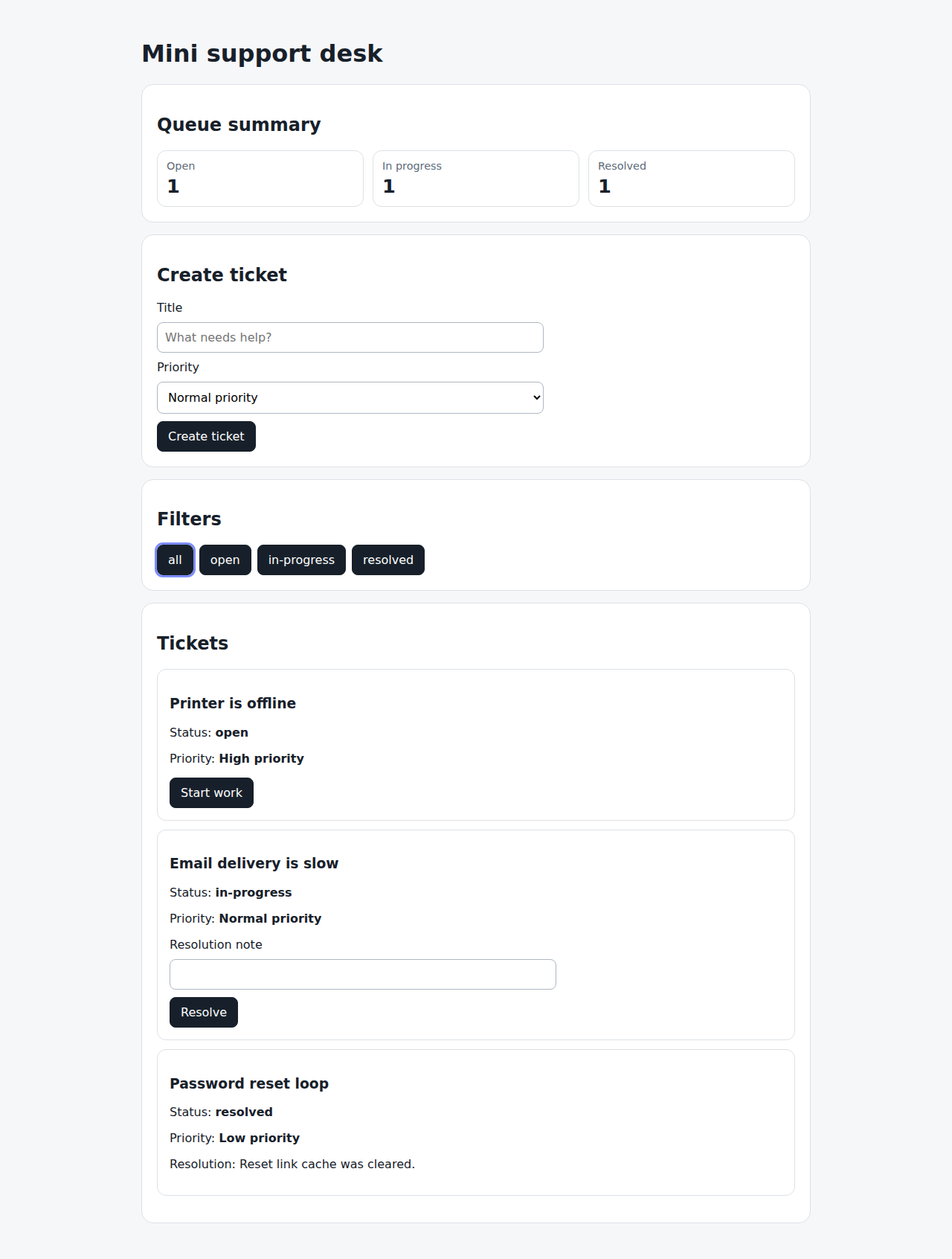
When the user enters a resolution note and resolves the ticket line 33 screen changed · screenshot captured
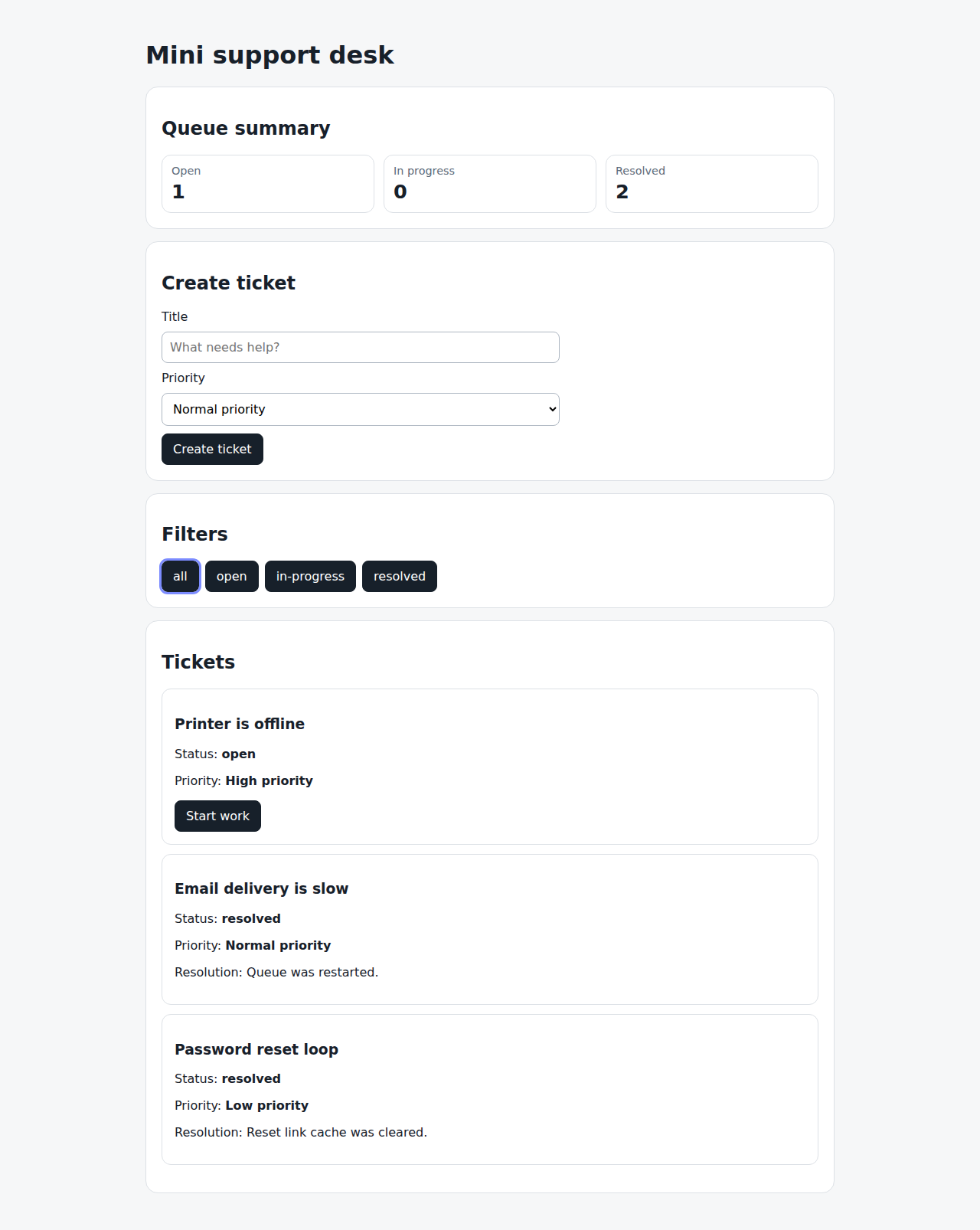
Then the ticket status is resolved line 34 same screen as line 33
And the resolution note is visible line 35 same screen as line 34
TICKET-STATUS-S003: User cannot resolve a ticket without a note covered 1,2
Rules covered by this scenario: TICKET-STATUS-R003
Given an in-progress ticket is visible line 39 screen changed · screenshot captured
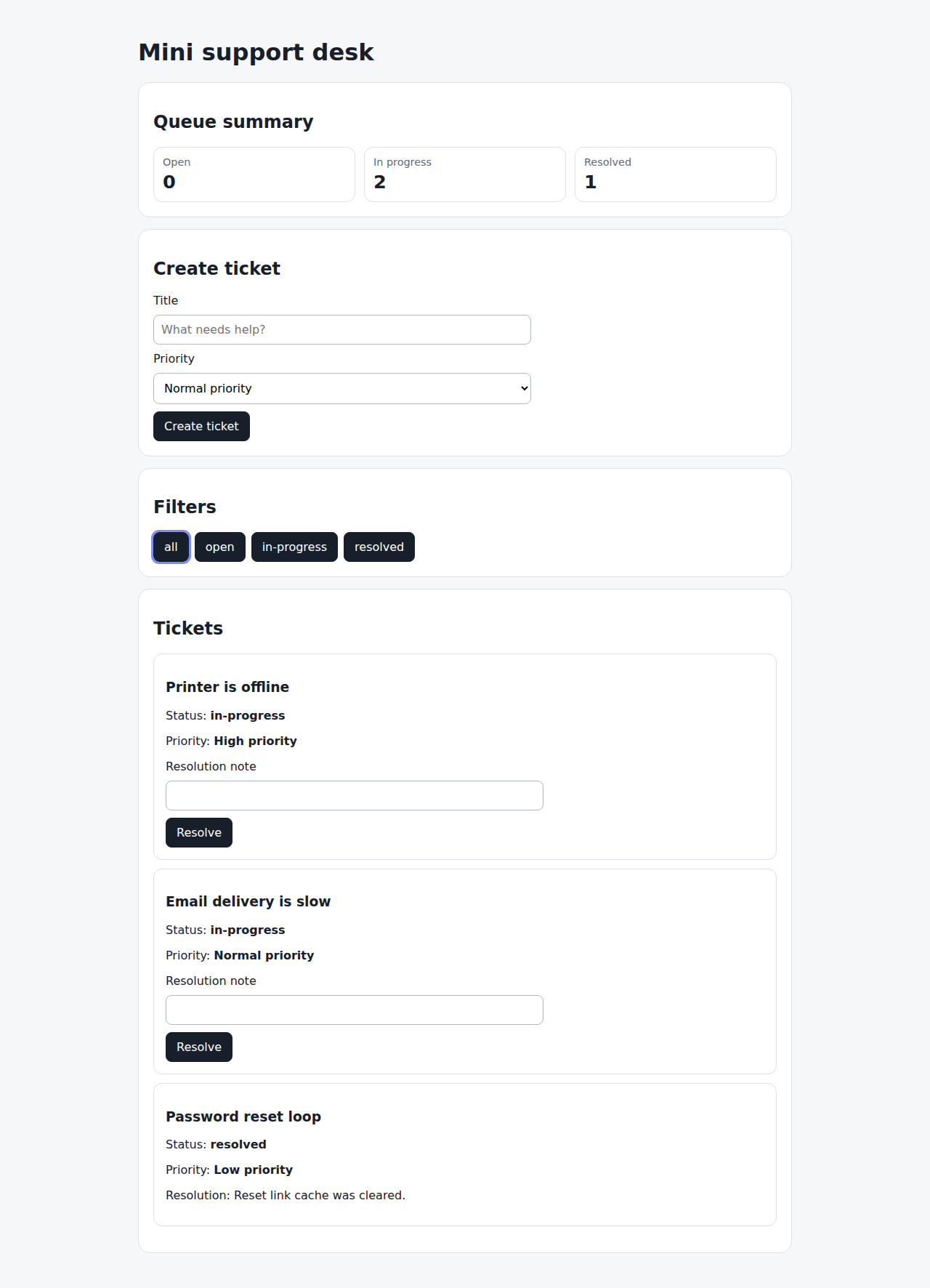
When the user tries to resolve the ticket without a note line 40 screen changed · screenshot captured
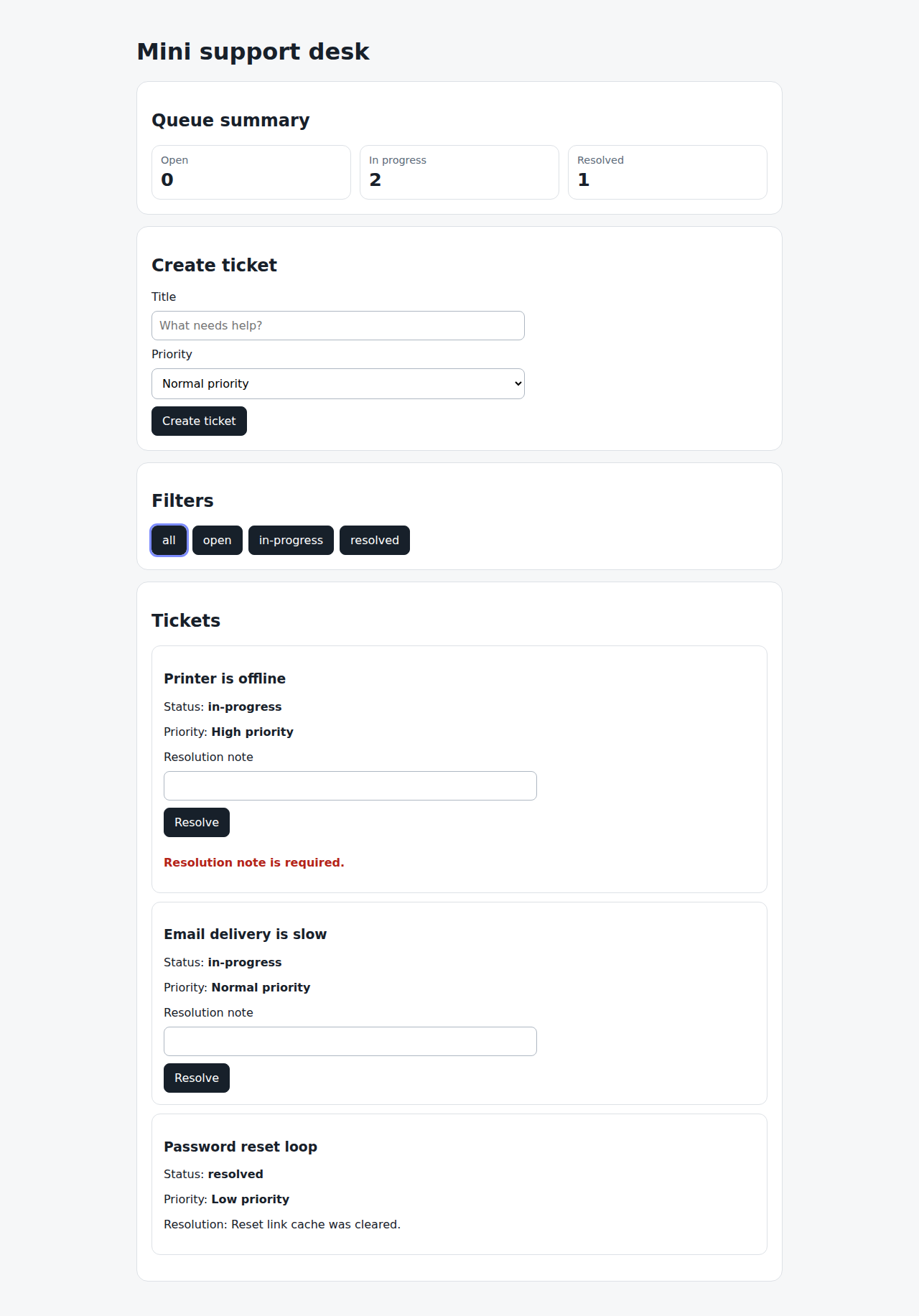
Then the ticket is not resolved line 41 same screen as line 40
And they see a resolution note validation message line 42 same screen as line 41
Interface
User-facing orientation and queue presentation
2 documents4/4 covered
Interface
User-facing orientation and queue presentation
Support queue summary
draft
playwrightGive support agents a quick count of tickets by workflow status before they inspect the ticket list.
Rules
SUPPORT-QUEUE-SUMMARY-R001: The desk MUST show ticket counts for open, in-progress, and resolved tickets. covered by SUPPORT-QUEUE-SUMMARY-S001 1
Scenarios
SUPPORT-QUEUE-SUMMARY-S001: Agent sees status totals covered 1,2,3,4
Rules covered by this scenario: SUPPORT-QUEUE-SUMMARY-R001
Given the support agent opens the mini support desk line 23 screen changed · screenshot captured
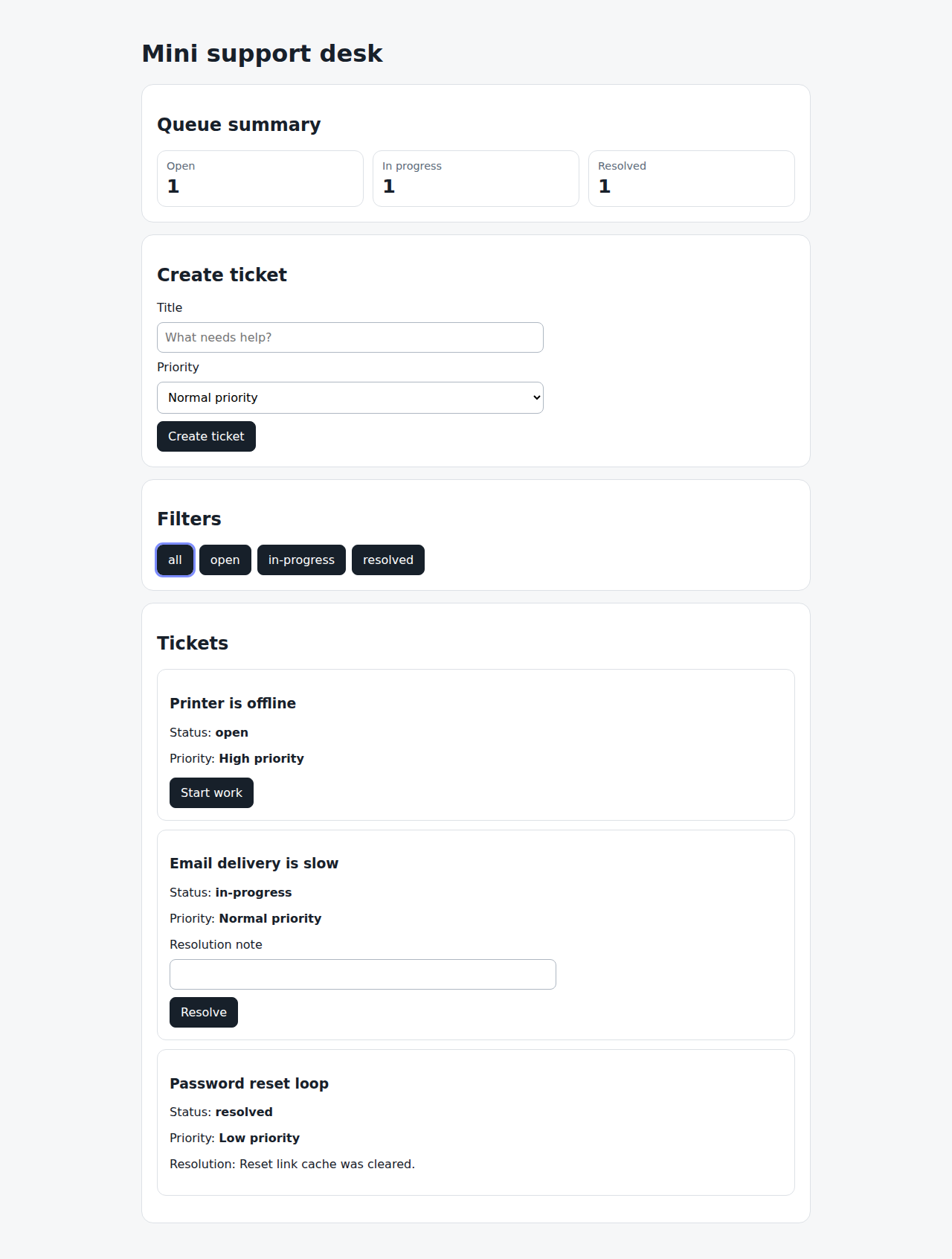
When the seeded ticket queue is displayed line 24 same screen as line 23
Then they see one open ticket, one in-progress ticket, and one resolved ticket line 25 same screen as line 24
Support welcome heading
draft
playwrightGive support agents an immediate confirmation that they have opened the mini support desk.
Rules
SUPPORT-WELCOME-HEADING-R001: The desk MUST show the product heading when the page loads. covered by SUPPORT-WELCOME-HEADING-S001 1
Scenarios
SUPPORT-WELCOME-HEADING-S001: Agent sees the desk heading covered 1,2,3,4
Rules covered by this scenario: SUPPORT-WELCOME-HEADING-R001
Given the support agent opens the mini support desk line 23 screen changed · screenshot captured
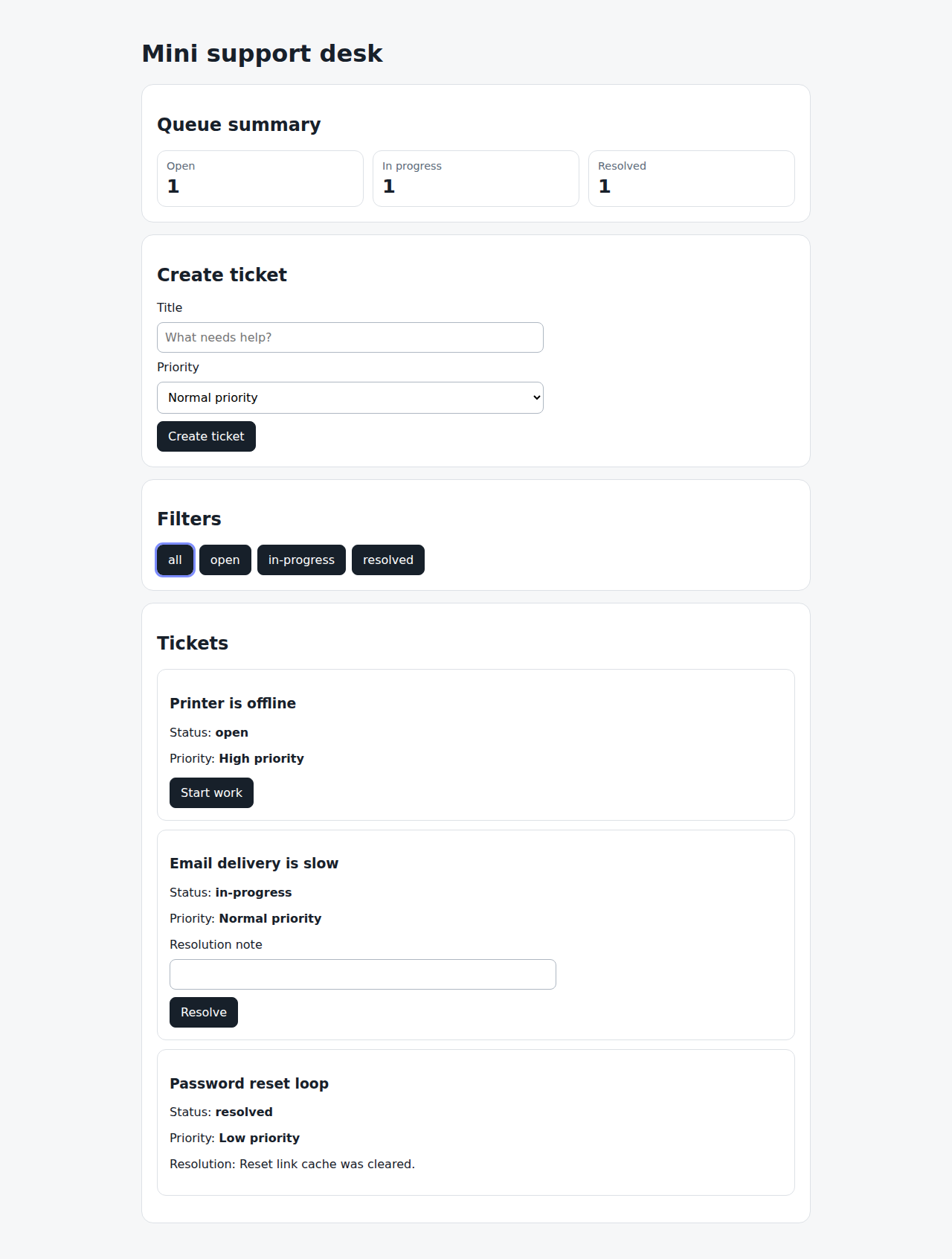
When the page loads line 24 same screen as line 23
Then they see the Mini support desk heading line 25 same screen as line 24